Vending Machine Card Readers: How Tap-to-Pay Works and How to Choose One
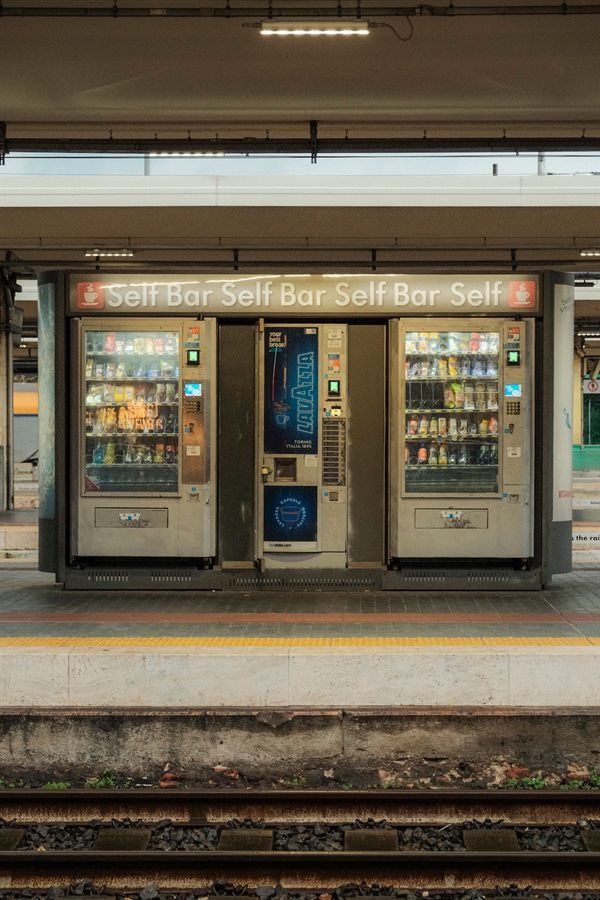
Quick answer: a vending machine card reader is a small payment terminal mounted on the machine’s door that accepts credit and debit cards, tap-to-pay cards and phone wallets such as Apple Pay and Google Pay. It plugs into the machine’s controller through the industry-standard MDB connection, reaches the payment network over cellular, Wi-Fi or Ethernet, and is run under a service plan from the reader provider, who charges a monthly fee and a per-transaction processing fee. 69 of the 93 new machines we sell are listed with a card reader.
How a vending machine card reader works
- The customer taps, inserts or swipes a card, or holds a phone to the reader.
- The reader asks the payment network to authorize the purchase over its internet connection.
- Once approved, the reader tells the machine’s controller that credit is available, the customer chooses a selection, and the machine vends.
- If the product does not drop: machines with drop sensors detect this: the sale is not completed, or the customer can choose again.
- The reader provider settles the day’s transactions to your bank account, minus its fees, and reports each sale in an online dashboard.
The connection between the reader and the machine is MDB (Multi-Drop Bus), the standard interface that vending machine controllers use to talk to coin mechanisms, bill validators and cashless readers. Almost every modern machine has an MDB controller, which is why the same reader can be fitted to machines from different manufacturers.
Tap to pay, chip and phone wallets
New readers accept contactless (tap) cards, chip cards and mobile wallets through NFC; many also read the magnetic stripe. Contactless payment matters more on a vending machine than almost anywhere else because the purchase is small and quick: people who do not carry cash can still buy. On our product pages, “Card reader” means the machine is listed with a cashless reader, and “Contactless/mobile” means that reader accepts tap cards and phone wallets.
Connectivity: cellular, Wi-Fi or Ethernet
A card reader has to reach the payment network for every sale. Cellular readers have a built-in modem and work anywhere with a mobile signal, which makes them the default for locations where you do not control the network. Wi-Fi and Ethernet readers use the building’s network, so they need a password or a cable run and the location’s permission. Check the signal at the exact spot the machine will stand: basements, steel buildings and walk-in areas can block cellular reception.
What a card reader costs
There are three parts to the cost, and each provider prices them differently:
- Hardware: the reader itself, bought outright or included with the machine.
- Service fee: a monthly fee per reader for connectivity, the dashboard and support.
- Processing fee: a percentage of each sale, sometimes with a small fixed amount per transaction.
Because vending sales are small, the per-transaction part of the fee matters more than it does in a shop. Ask any provider for the current service fee, the processing rate on a $2 sale, the payout schedule, and the contract length before you activate a reader. Many operators raise prices by a small amount on cashless sales or across the machine to cover these costs; check the card network rules and your state’s law on surcharges before doing so.
Nayax, Cantaloupe and other providers
The best-known US vending card reader providers are Nayax and Cantaloupe (formerly USA Technologies); others exist, and some machine manufacturers ship their own payment hardware. When comparing, look at the fees above, whether the reader supports tap and phone wallets, the quality of the sales and inventory reporting, and whether the same account can run every machine you plan to own. Ask us which reader and provider a specific model ships with before you order.
Cashless vending machines: card only, or cash too?
A cashless vending machine takes cards and phone wallets; some accept nothing else, while most new machines take cards alongside coins and bills. Going card-only removes coin jams and cash collection, but turns away customers who carry only cash, so schools, gyms and similar locations usually keep coin and bill acceptors. Browse every vending machine with a card reader we sell.
Machines that ship with a card reader
If you are buying new, the simplest route is a machine that already has a reader, so there is nothing to retrofit. These picks from our catalog are listed with a card reader and accept tap and phone payments:
| Best for | Machine | Selections | W × H × D | Payment | Price |
|---|---|---|---|---|---|
| Compact combo | Seaga SM2300 Combo Vending Machine | 23 | 30 × 69.5 × 29 in | Bill, Card reader, Coin, Contactless/mobile | $2,474.00 |
| Mid-size combo | Seaga Envision ENV5C Combo Machine | 36 | 39 × 73.5 × 36 in | Bill, Card reader, Coin, Contactless/mobile | $5,584.00 |
| Narrow snack machine | AMS Slim Gem Snack Machine | 24 | 28.5 × 72 × 29.5 in | Bill, Card reader, Coin, Contactless/mobile | $3,499.00 |
| Drink machine | Seaga Envision Ultra Stack ENV10U Drink Machine | 10 | 39 × 72.5 × 33.5 in | Bill, Card reader, Coin, Contactless/mobile | $5,293.99 |
| AI smart cooler | HAHA Vending Plus 440 AI Smart Cooler | – | 27.2 × 79.5 × 27 in | Card reader, Contactless/mobile | $3,799.00 |
Live from our catalog on October 30, 2026. Machine price only; freight is a flat $150 per order within the United States.
Browse every combo, snack and drink vending machine; each product page lists the payment systems and connectivity in its specification table. AI smart coolers are cashless by design: the door opens only after a card or phone is authorized.
Adding a card reader to an existing machine
Most machines with an MDB controller can take a reader: the reader mounts in a cut-out or bracket on the door, plugs into the MDB harness, and is then activated on the provider’s platform and set up in the machine’s payment menu. Older machines without MDB may need an adapter or a controller upgrade, and some very old cabinets are not worth converting. Unplug the machine before working inside it, follow the reader’s installation guide, and test a real transaction on every price point before leaving the machine.
Frequently asked questions
Do vending machines take credit cards?
Most new vending machines do, through a cashless card reader that accepts credit and debit cards, tap-to-pay cards and phone wallets. Older machines may accept only coins and bills unless a reader has been added.
Do I need Wi-Fi for a vending machine card reader?
Not if the reader is cellular: it has its own modem and works wherever there is mobile signal. Wi-Fi or Ethernet readers need the building’s network.
Can I add a card reader to any vending machine?
Any machine with an MDB controller can usually take one. Machines without MDB may need an adapter or a controller upgrade.
Can a vending machine be cashless only?
Yes. Some machines, including AI smart coolers, accept only cards and phones. Cashless-only machines have no coins to collect or jam, but they turn away the customers who carry only cash, so most operators keep coin and bill acceptors on traditional machines.
Can a vending machine take Apple Pay?
Yes, when it has a contactless card reader. Apple Pay, Google Pay and Samsung Pay work through the same NFC tap as a contactless card. A machine with only coin and bill acceptors cannot take phone payments until a reader is fitted.